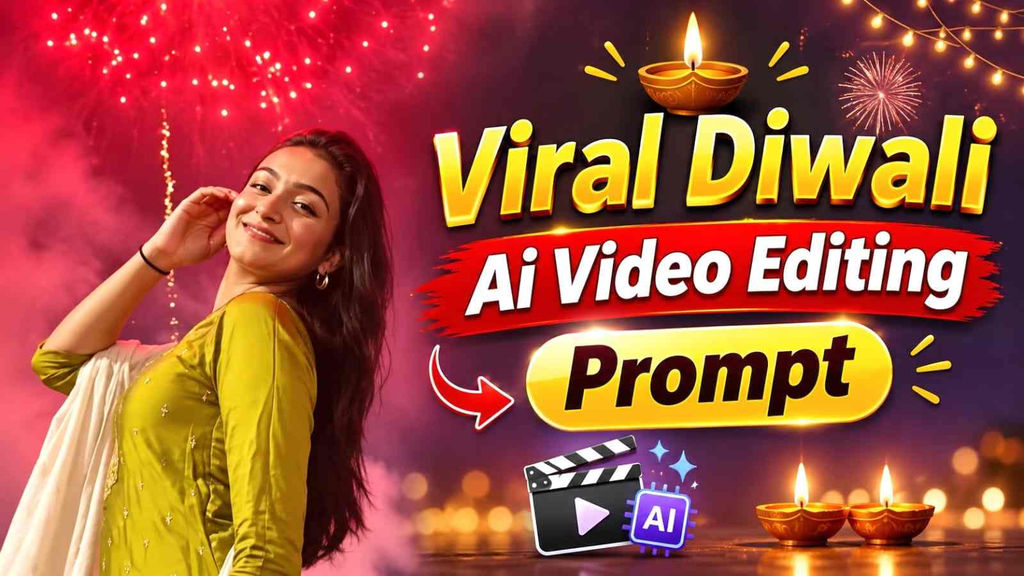
Viral Diwali AI Video Editing Prompt 2026 – Create Stunning Festival Videos
Diwali brings a special kind of beauty with sparkling lights, colorful decorations, beautiful outfits, and amazing fireworks. Every year, people look for creative ways to capture and share their festival memories. In 2026, AI-powered video creation is making this easier than ever. You can now turn an ordinary picture into an eye-catching Diwali celebration video with realistic animations and cinematic effects. Also see more prompts from my ai photo prompts
With the Viral Diwali AI Video Editing Prompt 2026, you can create attractive festival videos without learning complicated editing techniques. Just upload a photograph, enter a suitable AI prompt, and let the tool transform your idea into a creative video. From glowing candles and floating light particles to beautiful traditional outfits and colorful fireworks, there are many styles to explore.
What Makes Diwali AI Videos Special in 2026?
AI video editing gives creators more freedom to experiment with different visual styles. Instead of manually creating every effect, you can describe the scene you want and let an AI-powered tool generate it.
Some popular features include:
- Realistic fireworks and sparkling effects.
- Traditional Indian festival backgrounds.
- Animated diyas and decorative candles.
- Cinematic camera movements.
- Beautiful lighting and color effects.
- Photo animation with natural movements.
- Vertical videos for social media platforms.
Popular Diwali AI Video Ideas to Try
Before generating your video, choose a style that matches your personality and social media content. Here are some popular ideas for this festive season.
1. Magical Diwali Night Video
Create a cinematic Diwali night scene featuring a beautifully decorated house with hundreds of glowing diyas and golden fairy lights. Show colorful fireworks illuminating the night sky while small light particles float through the atmosphere. Add realistic shadows, smooth camera movements, warm golden tones, and detailed festive decorations. Create a magical and visually rich celebration video.
2. Beautiful Diwali Girl Portrait Animation
Transform the uploaded photograph into an elegant Diwali celebration video. Keep the original face and natural facial features consistent. Show the girl wearing a beautiful traditional Indian outfit with elegant accessories. Add glowing diyas, colorful rangoli, flower decorations, and warm golden lighting in the background. Include gentle movements and cinematic camera effects.
3. Royal Diwali Celebration Video
Generate a luxurious Diwali celebration video featuring a royal palace decorated with golden lights, traditional lamps, flowers, and beautiful rangoli designs. Show a person wearing an elegant traditional outfit while celebrating the festival. Add cinematic camera movements, realistic lighting, rich colors, and a premium festive atmosphere.
4. Romantic Diwali Couple Video
Create a beautiful romantic Diwali video featuring a couple celebrating together in a decorated outdoor setting. Show them wearing elegant traditional outfits surrounded by glowing candles, fairy lights, and colorful fireworks. Add a warm evening atmosphere, natural expressions, realistic skin details, and smooth cinematic movements. Preserve the original facial appearance of both people when reference photos are provided.
5. Colorful Rangoli and Diya Video
Create a close-up cinematic video of a beautiful traditional rangoli decorated with colorful flowers, glowing diyas, and small candles. Show the warm flames moving naturally while golden light reflects across the colorful patterns. Add smooth camera movement, realistic textures, and a beautiful festive atmosphere.
6. Diwali Fireworks Instagram Reel
Create a visually stunning Diwali night video featuring bright fireworks exploding across a beautiful city skyline. Include glowing buildings, colorful lights, and traditional diyas in the foreground. Use realistic smoke effects, vibrant colors, slow-motion fireworks, and cinematic camera movement. Generate the video in vertical 9:16 format for Instagram Reels.
How to Make Diwali Videos with AI Prompts
You don’t need professional editing experience to get started. Follow these steps to create your own festival video.
Step 1: Select an AI Video Generator
Choose an AI platform that supports text-to-video or image-to-video creation. Check its available features before starting.
Step 2: Prepare Your Image
For photo animation, select a clear portrait or photograph. Good lighting and a visible subject can help the AI understand your reference image.
Step 3: Add a Diwali Prompt
Copy any prompt from this article and paste it into the AI generator. Describe the background, clothing, lighting, and movements you want.
Step 4: Adjust the Video Style
Choose your preferred aspect ratio, duration, and visual quality if these settings are available.
Step 5: Generate and Review
Let the AI create your video. Watch the result carefully and regenerate it with improved instructions if something does not look right.
Step 6: Share Your Creation
Save your finished video and share it with friends or followers on Instagram, Facebook, WhatsApp, or YouTube.
Best AI Tools for Creating Diwali Videos
You can explore different AI platforms depending on the type of video you want to create.
- ChatGPT: Useful for generating creative Diwali video prompts and editing ideas.
- Google Veo: Explore AI-powered video generation.
- Kling AI: Try image-to-video animation and cinematic visual effects.
- Runway: Experiment with creative AI video generation and editing features.
- CapCut: Add music, transitions, text, and final editing touches to your generated video.
Some platforms offer free access with usage limits, while advanced features may require a subscription.
Tips to Make Your Diwali AI Videos More Attractive
If you want your videos to look professional, keep these simple suggestions in mind.
- Start with a high-resolution photograph.
- Use detailed descriptions instead of very short prompts.
- Include realistic lighting and natural movements.
- Choose golden, orange, and warm colors for a festive appearance.
- Use a vertical 9:16 format for short-form videos.
- Avoid adding too many visual effects at once.
- Preview the final video before sharing it online.
Common Diwali AI Video Editing Issues
AI Changes the Original Face
Sometimes AI tools modify facial details during animation. Use a clear reference image and include instructions to maintain the original facial appearance.
Fireworks Look Artificial
Describe the fireworks in more detail. Mention realistic light reflections, natural smoke, and different colors to guide the generation process.
The Video Looks Blurry
Use a higher-quality reference photograph and check the resolution settings available in your selected AI tool.
Background Decorations Are Missing
Mention specific elements such as diyas, rangoli, flowers, candles, and fairy lights in your prompt.
Conclusion
Creating beautiful festival videos has become easier with AI-powered editing tools. These Viral Diwali AI Video Editing Prompts 2026 give you plenty of creative ideas, whether you prefer traditional portraits, romantic couple videos, colorful rangoli, or cinematic fireworks.
Choose your favorite prompt, experiment with different visual effects, and create a memorable Diwali video for your social media audience.
Frequently Asked Questions
Upload your photograph to an AI tool that supports image-to-video generation. Add a Diwali-themed prompt, select your preferred settings, and generate the video.
Popular creative ideas include Diwali night celebrations, fireworks animations, traditional portraits, romantic couple videos, and glowing diya scenes.
Yes. Many AI video generators allow beginners to create videos using simple text descriptions and reference photographs.