Viral SMTG Bandage Photo Editing Prompt for Instagram
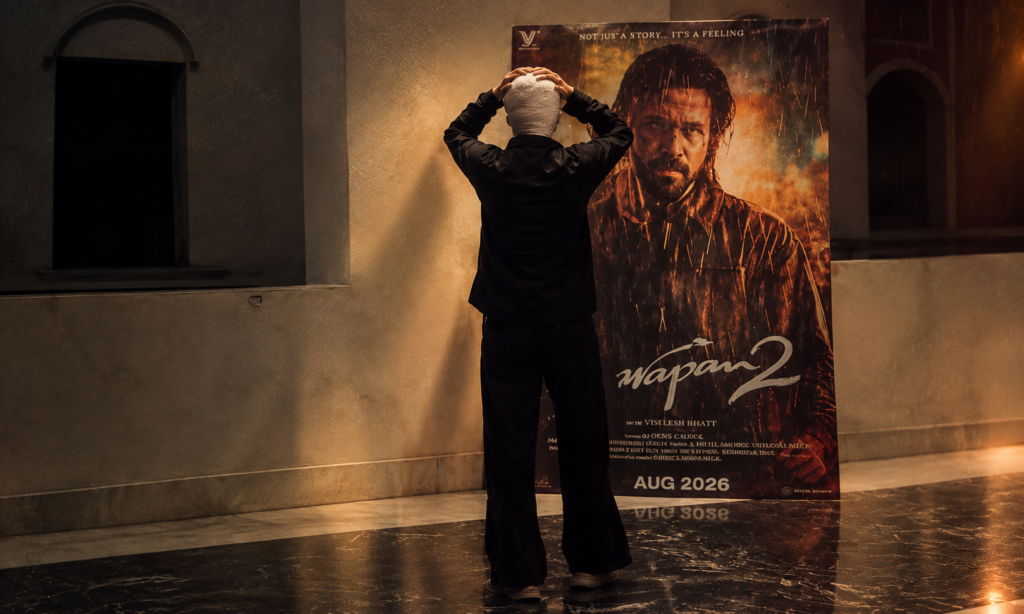
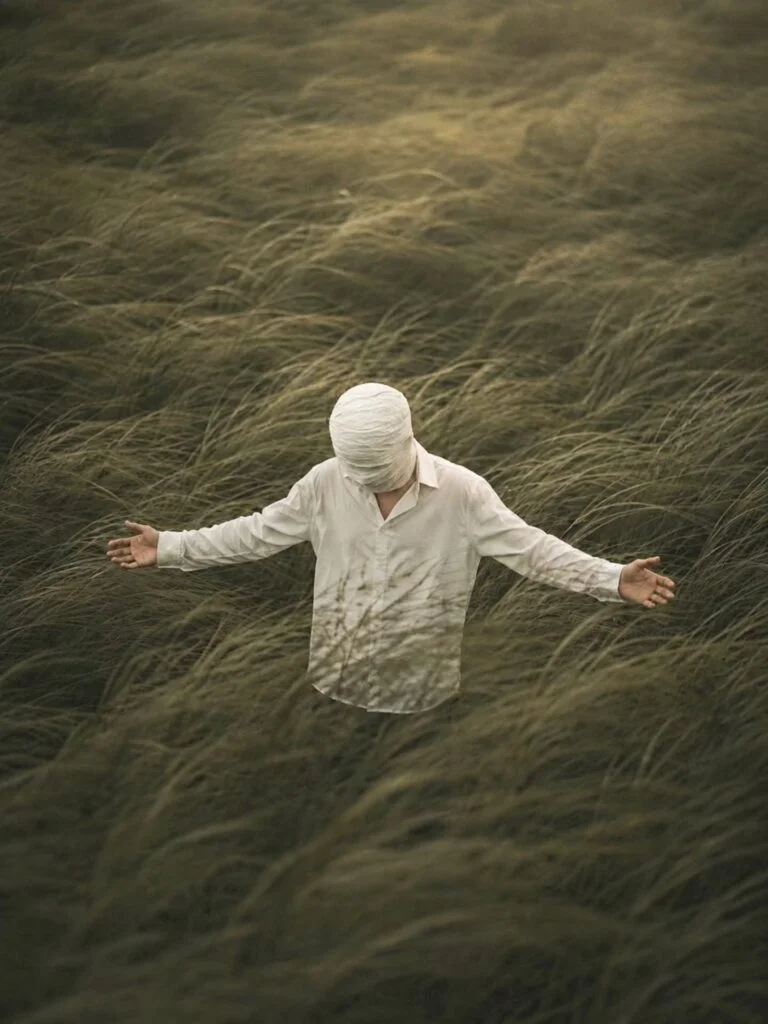
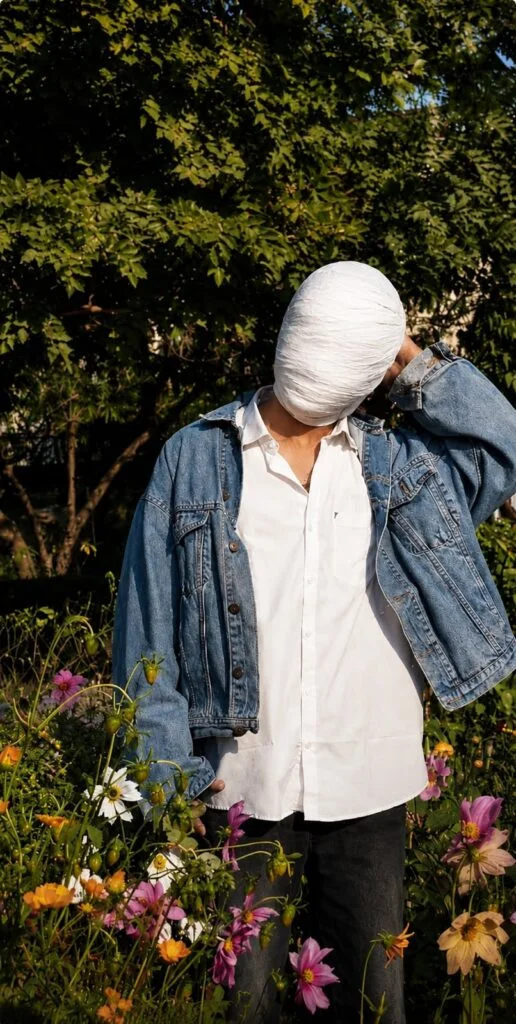
The Instagram Trending SMTG Bandage Photo Editing Prompt is a creative AI photo editing trend that gives your normal picture a mysterious bandaged-face look. This style has recently appeared across social media as an SMTG photo edit, especially with white bandages covering the face.
The effect looks simple, but the right AI prompt can make the bandages look much more realistic. Also see: 1980s Vintage AI Photo Editing Prompt
What Is SMTG Bandage Photo Editing?
SMTG Bandage Photo Editing is an AI-based photo effect where the person’s head and face are covered with realistic white or off-white cotton bandages.
The goal is to create a dark, mysterious, and cinematic portrait. The bandages should have natural folds, overlapping layers, fabric texture, and realistic shadows.
This trend is also commonly described online as white bandage mask photo editing or SMTG photo editing.
Viral SMTG Bandage AI Photo Editing Prompt
You can copy the prompt below and use it with an AI image editor:
✦ AI PROMPT
Why Is the SMTG Bandage Trend Popular?
The main reason this style stands out is its mystery. A normal portrait becomes completely different when the face is hidden under layers of white bandages.
The dark color grading also gives the image a movie-like appearance. This makes the effect suitable for Instagram posts, profile pictures, reels covers, and creative AI photography.
Similar SMTG bandage prompts circulating online focus on completely covering the face while keeping the original composition and adding cinematic lighting.
How to Create SMTG Bandage Photo
Creating this viral photo effect is simple if your AI editor supports image editing.
Step 1: Choose Your Photo
Select a clear photo with good lighting. A sharp portrait or full-body picture usually works better than a very blurry image.
Step 2: Upload Your Image
Open your preferred AI photo editing tool and upload the picture you want to edit.
Step 3: Copy the Prompt
Copy the SMTG Bandage Photo Editing Prompt from this article and add it to the AI editor.
Step 4: Generate the Image
Let the AI process your photo. The tool should transform the head and face while keeping the rest of the image as close to the original as possible.
Step 5: Check the Result
Look at the bandage details carefully. If there are unwanted gaps, visible facial features, or exposed hair, regenerate the image with stronger instructions.
How to Make the Bandage Effect Realistic
The quality of the final image depends heavily on the details in your prompt. Simply asking for a white bandage may produce an artificial-looking result.
Use words such as cotton texture, overlapping layers, realistic folds, fabric tension, natural shadows, detailed wrinkles, and cinematic lighting.
Also tell the AI what should stay unchanged. For example, you can specifically mention the original clothing, pose, background, camera angle, and body proportions.
Best Style for SMTG Photo Editing
For a strong Instagram-style result, try these elements:
- White or off-white cotton bandages
- Dark cinematic lighting
- Deep natural shadows
- Soft warm highlights
- Realistic fabric texture
- Slight atmospheric haze
- High contrast
- Fine film grain
- Sharp subject details
- Moody movie-poster look
Where Can You Use the SMTG Photo?
Your finished SMTG Bandage Photo can be used for many creative social media posts, such as:
- Instagram profile pictures
- Instagram posts
- Instagram Reels covers
- Facebook posts
- WhatsApp Status
- YouTube Shorts thumbnails
- AI photography projects
- Creative wallpapers
Tips for Better AI Photo Editing
Use a high-quality original image whenever possible. Make sure the subject is clearly visible and the photo is not heavily blurred.
Keep the prompt specific. Tell the AI exactly which parts of the image should change and which parts should remain untouched.
If the first result does not look right, try generating it again. AI image editing can produce different results from the same instructions.
To Sum Up
The Instagram Trending SMTG Bandage Photo Editing Prompt is an easy way to turn a regular photo into a mysterious and cinematic AI portrait. The key is to use a clear reference photo and give the AI detailed instructions about the bandage texture, facial coverage, lighting, and original composition.
Try the prompt above with your favorite portrait and experiment with different cinematic moods to create your own viral SMTG bandage photo edit.