Diwali Pataka AI Video Editing Prompt 2026
Want to create a beautiful Diwali video with colorful fireworks and amazing effects? The Viral Diwali Pataka AI Video Tutorial is a fun way to create eye-catching videos using AI tools. You can turn a simple photo or creative idea into a stunning Diwali celebration video with fireworks, glowing lights, and festive backgrounds. Also see more smexy prompts from viral ai photo prompts
Many creators love sharing unique Diwali videos on Instagram Reels, YouTube Shorts, and Facebook. With AI video editing tools, you can create your own festive videos without spending hours editing.
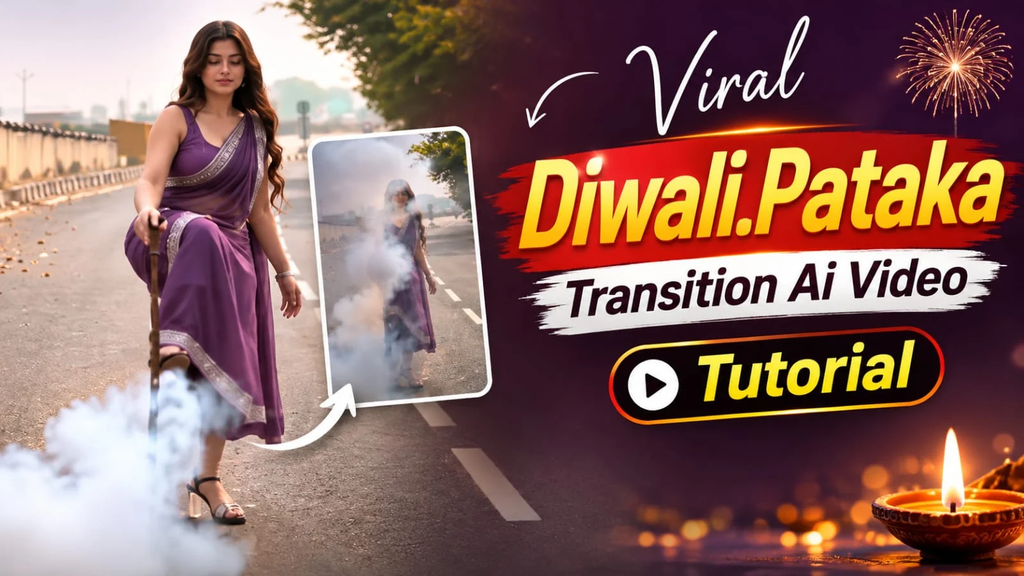
What Is a Viral Diwali Pataka AI Video?
A Diwali Pataka AI Video is a creative video made with artificial intelligence. It usually features colorful fireworks, sparkling lights, festive decorations, and beautiful Diwali backgrounds.
You can use AI tools to create different scenes, such as fireworks exploding in the night sky, a person celebrating Diwali, or a cinematic firecracker video with glowing effects.
These videos are popular for Instagram Reels, YouTube Shorts, WhatsApp status, and other social media platforms.
Why Is the Diwali Pataka AI Video Trending?
AI-generated Diwali videos are a creative way to celebrate the festival and share festive moments online. Here are some reasons to try this trend.
1. Beautiful Firecracker Effects
Create colorful fireworks, sparkling lights, and glowing effects that make your video look attractive.
2. Easy AI Video Editing
You do not need professional editing skills. Simply use a suitable AI prompt and create your video with a compatible tool.
3. Perfect for Instagram Reels
Create short Diwali videos that you can share with friends and followers.
4. Creative Festive Backgrounds
Try different backgrounds with colorful lights, decorated homes, glowing diyas, and fireworks.
5. Unique Video Ideas
You can experiment with different outfits, scenes, camera angles, and festive effects to create your own style.
Viral Diwali Pataka AI Video Prompt 2026
Want to create your own Diwali Pataka video? Try this simple AI video prompt.
You can change the background, colors, and visual details to create different Diwali video styles.
Viral Diwali Pataka prompt
Follow these easy steps to make your own Diwali fireworks video.
Step 1: Choose an AI Tool
Open an AI image or video generation tool that supports your desired features. You can explore tools like Gemini and other compatible AI video platforms.
Step 2: Select Your Idea
Decide what type of Diwali video you want to create. You can choose fireworks, a festive portrait, a decorated home, or a cinematic celebration scene.
Step 3: Copy the AI Prompt
Copy the Diwali Pataka AI Video Prompt given above. You can also customize the prompt according to your idea.
Step 4: Add Your Photo (Optional)
If your selected AI tool supports image uploads, add a clear reference photo to guide the video generation.
Step 5: Generate Your Video
Paste your prompt into the AI tool and generate your video. Wait for the result and check whether the scene matches your idea.
Step 6: Edit Your Video
Use a video editor such as CapCut or VN to add music, text, transitions, and other effects if needed.
Step 7: Save and Share
Export your finished video and share it on Instagram Reels, YouTube Shorts, Facebook, or WhatsApp status.
Best Diwali AI Video Ideas
Looking for more creative ideas? Try these trending styles.
Colorful Fireworks Video
Create a night sky filled with colorful fireworks, sparkling lights, and beautiful festive effects.
Diwali Girl AI Video
Create a beautiful festive portrait featuring traditional clothing, glowing diyas, and a decorated background.
Diwali Couple Video
Make a romantic festive video with traditional outfits, warm lighting, and beautiful fireworks in the background.
Cinematic Diwali Celebration
Create a cinematic scene with golden lights, decorated homes, fireworks, and smooth camera movements.
Traditional Diwali Video
Show diyas, rangoli designs, flowers, sweets, and colorful decorations to create a traditional festive atmosphere.
Tips for Creating Better Diwali AI Videos
A good prompt is important, but a few small changes can help you get better results.
- Use clear reference photos: Choose a well-lit image if your AI tool supports photo uploads.
- Describe the fireworks: Mention the colors, size, and background you want.
- Choose realistic details: Add lighting, camera angles, and scene descriptions.
- Try different prompts: Small changes can create different video results.
- Use suitable music: Choose festive music that matches your video.
- Keep videos short: Short and attractive clips work well for Reels and Shorts.
- Check video quality: Preview the result before sharing it online.
Common Problems With AI Diwali Video Generation
Sometimes AI tools may not create the exact video you want. Here are a few common problems and simple solutions.
Fireworks look unrealistic: Add more details about realistic fireworks, lighting, and camera movements.
Face looks different: Use a clear reference photo if the tool supports it and check its identity-preservation features.
Video quality is poor: Try a higher-quality generation setting if available.
Prompt is not working: Use simple wording and describe one main scene at a time.
Video generation takes time: Processing speed depends on the AI tool, video length, and available settings.
Frequently Asked Questions (FAQs)
It is an AI-generated video featuring Diwali fireworks, colorful lights, festive decorations, and celebration scenes.
Choose an AI video tool, copy a suitable prompt, customize your idea, generate the video, and edit it before sharing.
You can use free prompts, but AI image and video generation may have usage limits or paid features depending on the platform.
Conclusion
The Viral Diwali Pataka AI Video Tutorial makes it easy to create beautiful festive videos using AI prompts. You can experiment with colorful fireworks, glowing lights, traditional decorations, and cinematic effects.
Just copy the prompt, try it with a compatible AI tool, and create your own Diwali celebration video. Share your creativity with friends and family on social media.