Dil Ruba Dil Nashin CapCut Template 2026 – Create Trending Love Reels
Want to create a beautiful romantic video for Instagram Reels or YouTube Shorts? The Dil Ruba Dil Nashin CapCut Template is a great choice for making stylish videos with your favorite photos and clips. This trending editing style is perfect for people who love romantic songs, smooth transitions, and attractive video effects.
You do not need professional editing skills to create this type of video. Just find a compatible CapCut template, add your pictures, and customize the edit to match your style.
In this post, you will learn about the Dil Ruba Dil Nashin CapCut Template, its features, how to use it, and some useful tips for creating beautiful romantic reels.
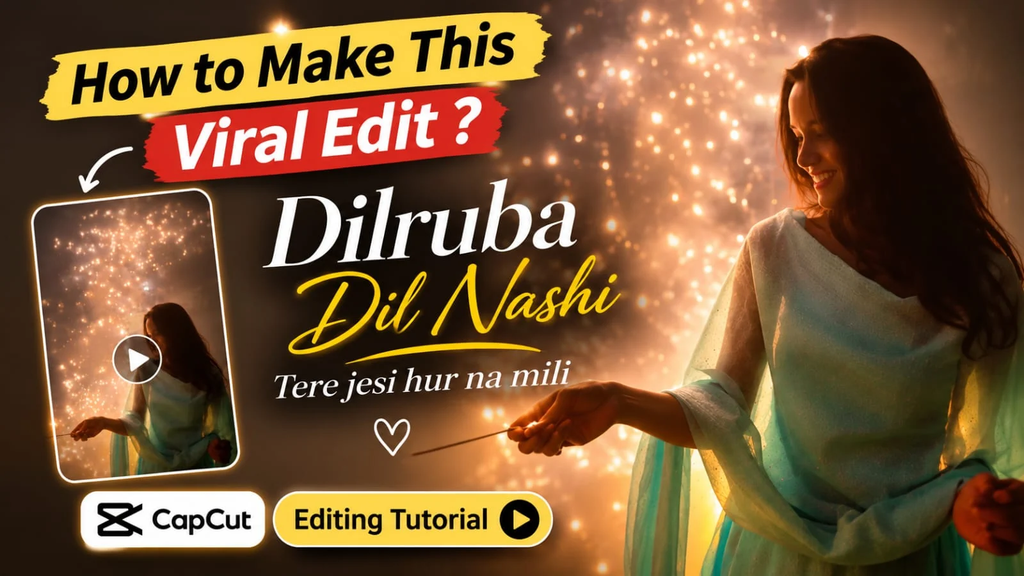
What Is the Dil Ruba Dil Nashin CapCut Template?
The Dil Ruba Dil Nashin CapCut Template is a romantic video editing style inspired by the song Dil Ruba Dil Nashin. It can include smooth transitions, beat-sync effects, photo animations, and attractive visual effects.
You can use this template style to create romantic reels, couple videos, stylish photo edits, and personal memories.
Whether you want to make a video for Instagram, Facebook, TikTok, or YouTube Shorts, this editing style can help you create an attractive short video.
Why Is the Dil Ruba Dil Nashin CapCut Template Trending?
Romantic song edits are popular on social media because they makHere are some reasons to try this template. Also see more prompts from our ai photo prompt
1. Romantic Music Style
The song gives your video a romantic mood and makes it suitable for love-themed edits.
2. Smooth Video Transitions
Use attractive transitions to move smoothly between your favorite pictures and video clips.
3. Easy Photo Editing
You can use a ready-made template instead of creating every effect manually.
4. Perfect for Instagram Reels
Create short romantic videos and share them with your friends and followers.
5. Customize Your Video
Add your own photos, change clips, and adjust the video to create a personal editing style.
Dil Ruba Dil Nashin CapCut Template Link
Looking for the Dil Ruba Dil Nashin CapCut Template? You can search for the template in CapCut or check links shared by its original creator.
Template availability may vary depending on your region and app version. Always check that the template link is working before opening it. also i build soon site on mk edits
Once you find a compatible template, follow the steps below to create your romantic video.
How to Use the Dil Ruba Dil Nashin CapCut Template
Follow these simple steps to make your video.
Step 1: Open CapCut
Install and open the CapCut app on your mobile phone, if it is available in your region.
Step 2: Find the Template
Search for the Dil Ruba Dil Nashin CapCut Template or open a compatible template link shared by its creator.
Step 3: Add Your Photos
Choose your favorite selfies, couple pictures, or other photos that you want to include in the video.
Step 4: Replace the Clips
Add your selected pictures to the template and adjust their positions if needed.
Step 5: Customize Your Video
Check the transitions, effects, and music. Make small changes to give your video a personal touch.
Step 6: Preview Your Edit
Watch the complete video and make sure everything looks good before exporting.
Step 7: Export and Share
Save your video in a suitable quality and share it on Instagram Reels, Facebook, or YouTube Shorts.
Best Ideas for Dil Ruba Dil Nashin Reels
Here are some creative ideas you can try with this romantic CapCut template.
Romantic Couple Video
Add your favorite couple pictures and create a beautiful love-themed video.
Girls’ Photo Editing
Use stylish selfies, traditional outfits, and beautiful portraits for an attractive reel.
Boys’ Attitude Edit
Combine stylish poses and clear photos with smooth transitions.
Love Memories Video
Create a short video using your favorite memories, special moments, and pictures.
Instagram Trending Reel
Use the template with suitable photos and a catchy caption to create an engaging Instagram Reel.
Tips to Make Your CapCut Video More Attractive
Using a trending template is a great start, but a few small changes can make your video look even better.
- Choose clear and high-quality photos.
- Match your pictures with the mood of the song.
- Use suitable transitions and effects.
- Avoid adding too many unnecessary filters.
- Keep your video short and attractive.
- Write a simple caption with relevant hashtags.
- Preview your video before posting it.
Common Problems With CapCut Templates
Sometimes, CapCut templates may not work properly. Here are some common problems and their solutions.
Template link not opening: Check whether the link is correct and still available.
Template not available: Some templates may have regional restrictions or may be removed by their creators.
Photos not fitting: Crop or adjust your pictures to fit the template frames.
Music is missing: Audio availability may vary by region. You may need to add suitable music separately.
Video quality is blurry: Use clear original photos and check your export settings.
Frequently Asked Questions (FAQs)
It is a romantic video editing style inspired by the Dil Ruba Dil Nashin song, featuring photos, transitions, and music effects.
Some CapCut templates are free, while others may require additional features. Availability depends on the specific template.
Conclusion
The Dil Ruba Dil Nashin CapCut Template is a fun way to create romantic videos using your favorite pictures and clips. With smooth transitions, beautiful effects, and suitable music, you can make attractive reels without complicated editing.
Try this trending editing style, add your own photos, and share your beautiful video with friends and followers.